 Invoicing 24/7
A professional website for your business, built for you in a minute.
Answer two quick questions and AI writes your whole website: your services, a photo, your hours and a contact form. Change anything by tapping it, then publish it at yourname.invoicing247.com.


From zero to online in three steps
No templates to fill in, no drag-and-drop to learn. Everything happens in the Invoicing 24/7 app you already use for your invoices.
-
1
Tell us about your business
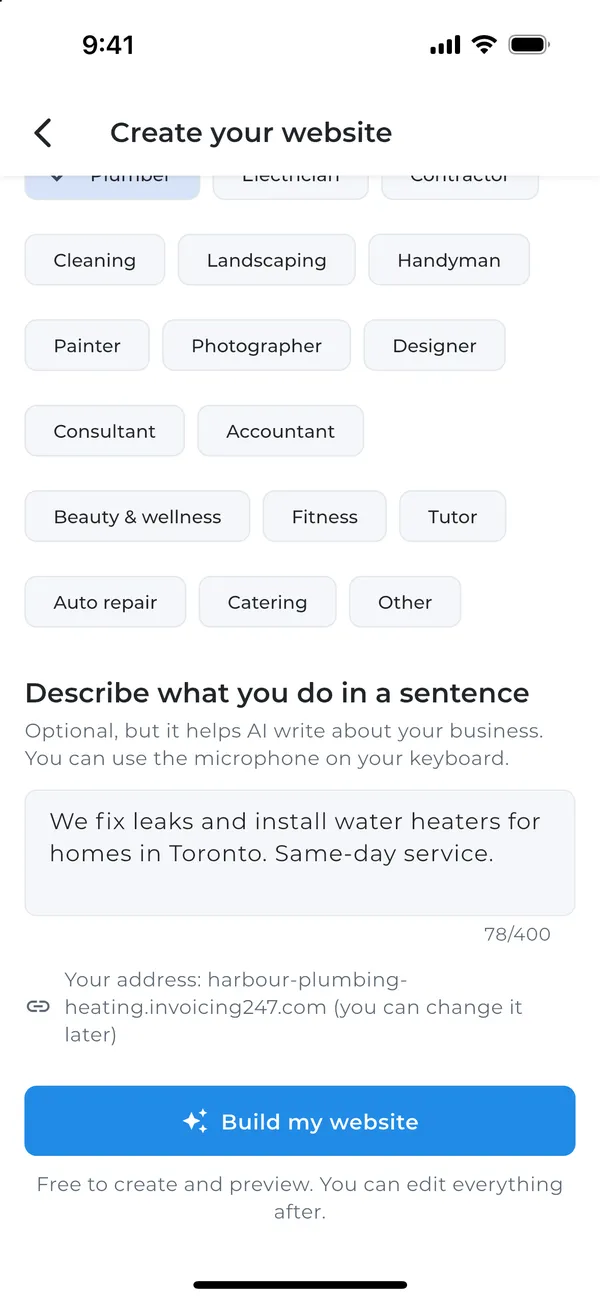
Pick what you do, from plumber to photographer, and describe your business in one sentence. You can even speak it with your keyboard's microphone.
-
2
AI writes your website
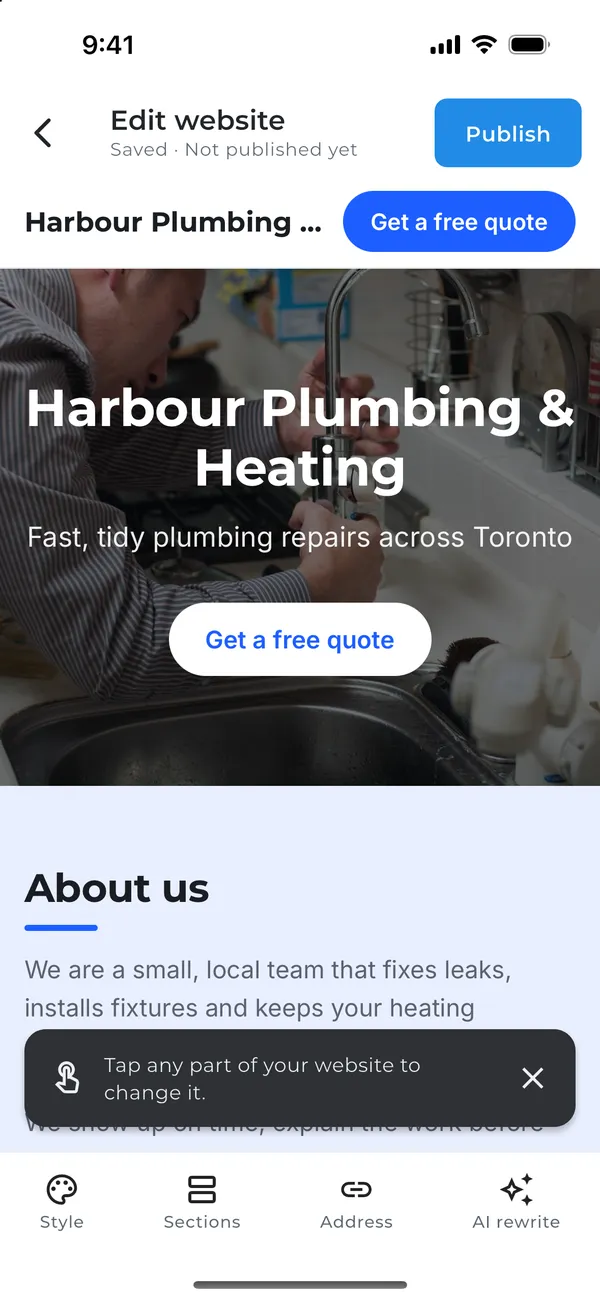
In about a minute you get a complete site, written using what you told us and the services you already invoice for.
-
3
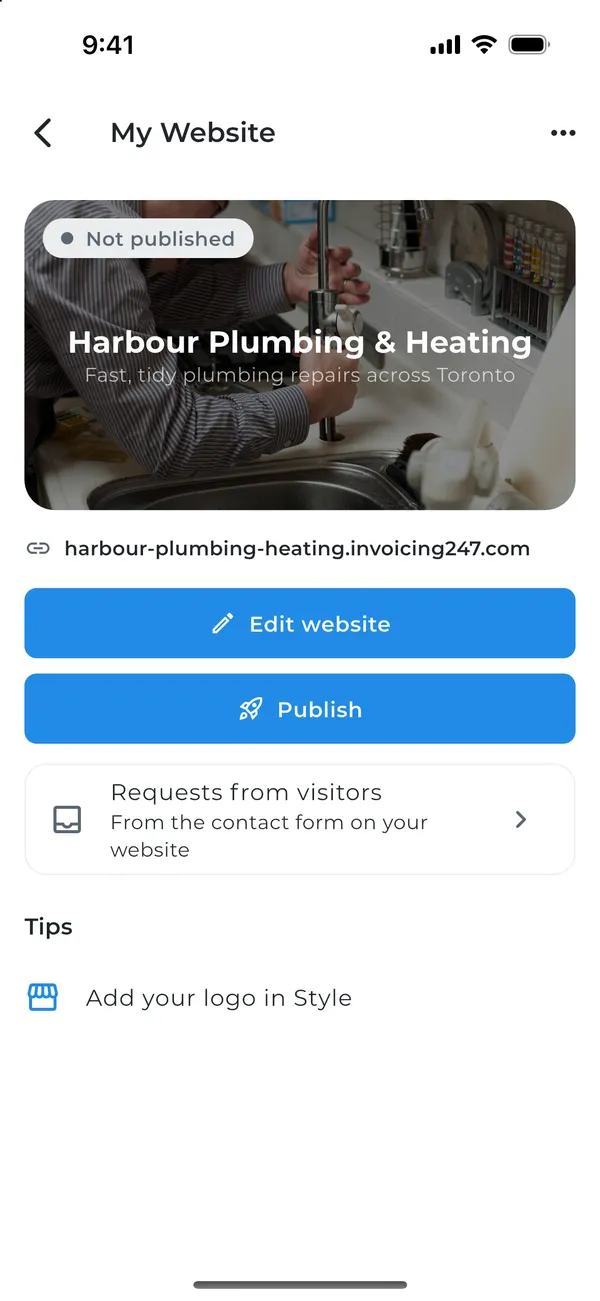
Tap, tweak and publish
Tap any part of the page to change it. When it looks right, publish it and share your link with clients.
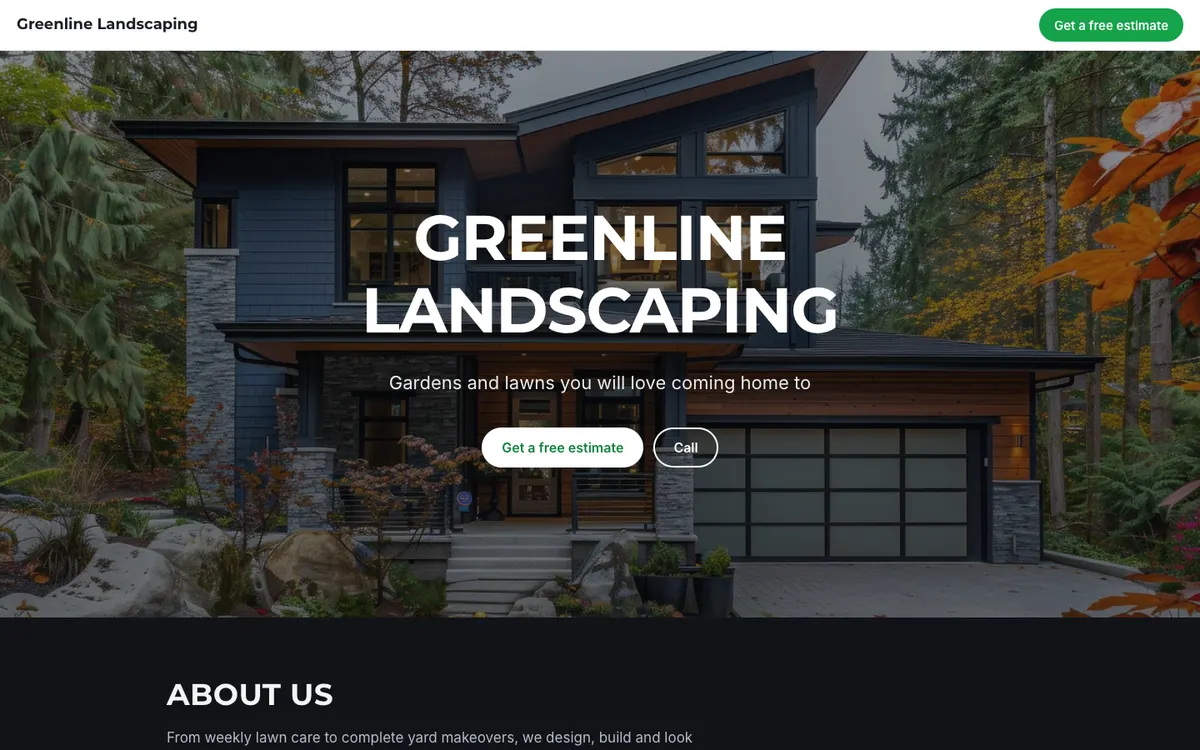
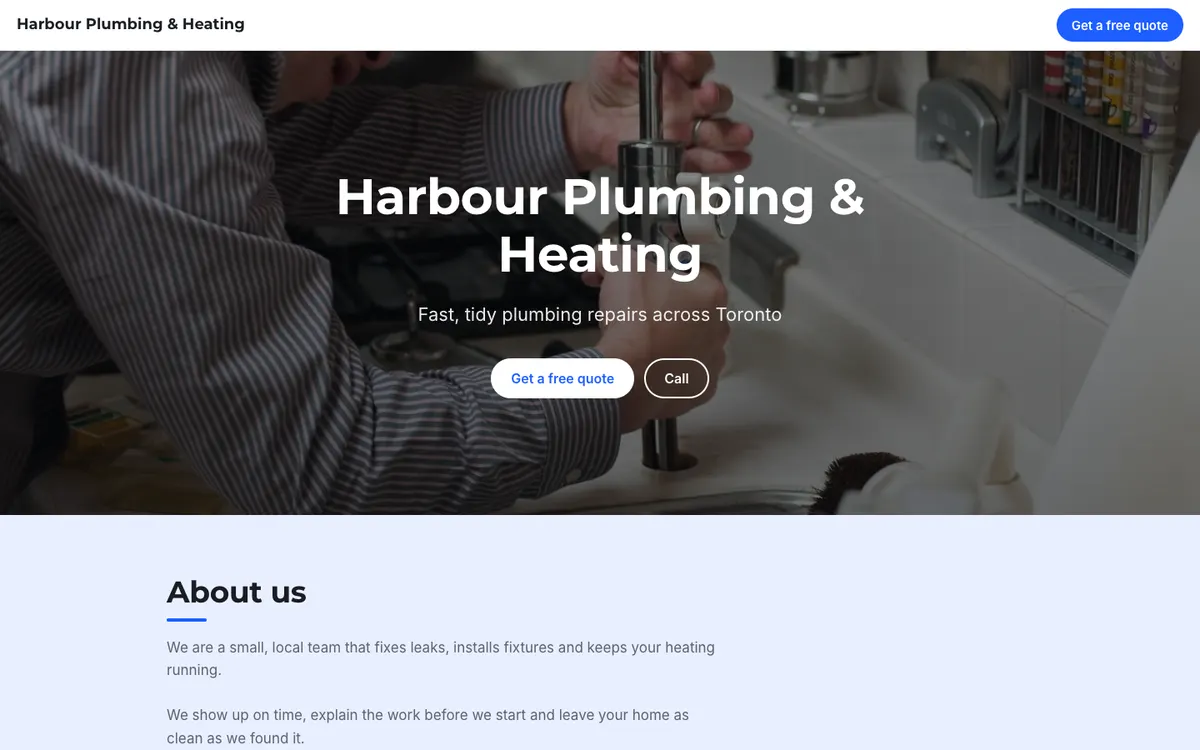
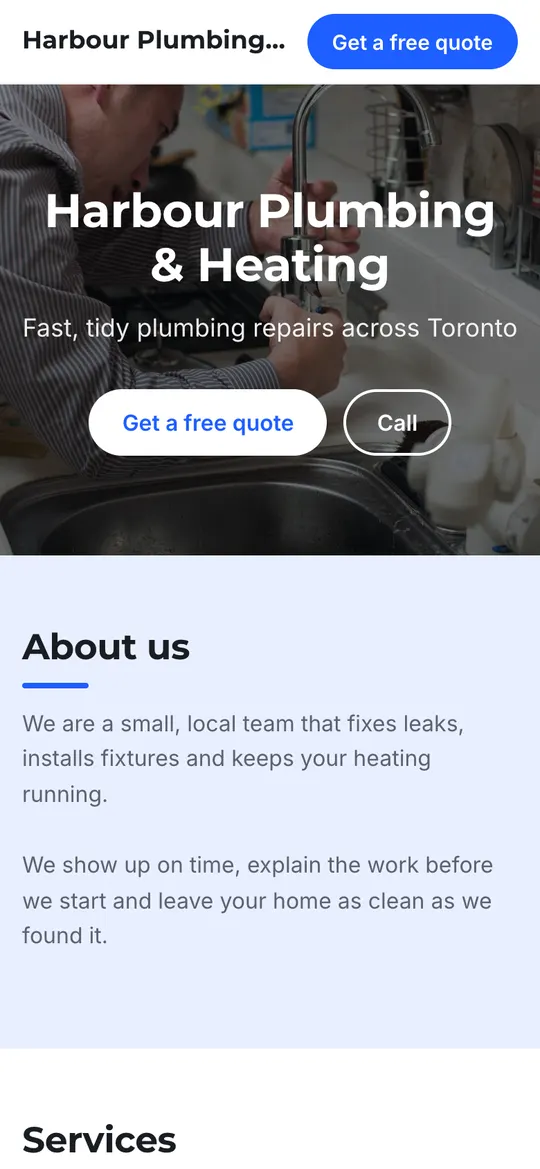
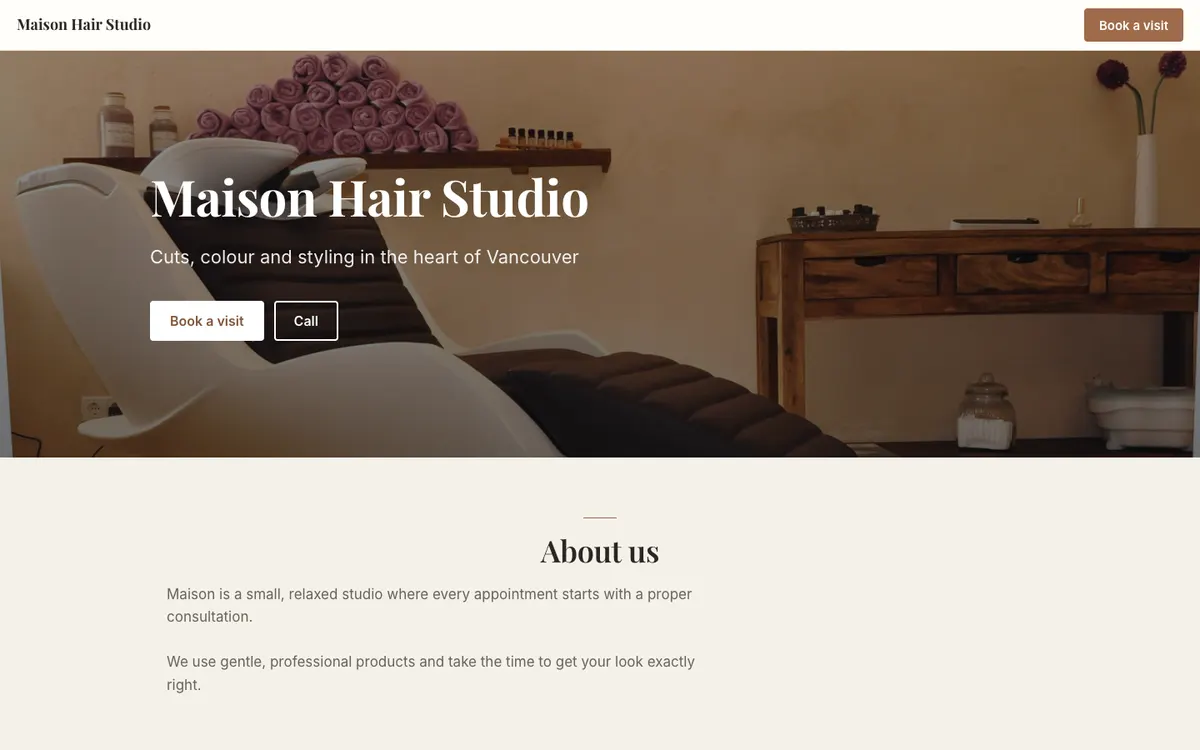
Three looks, every one of them mobile-ready
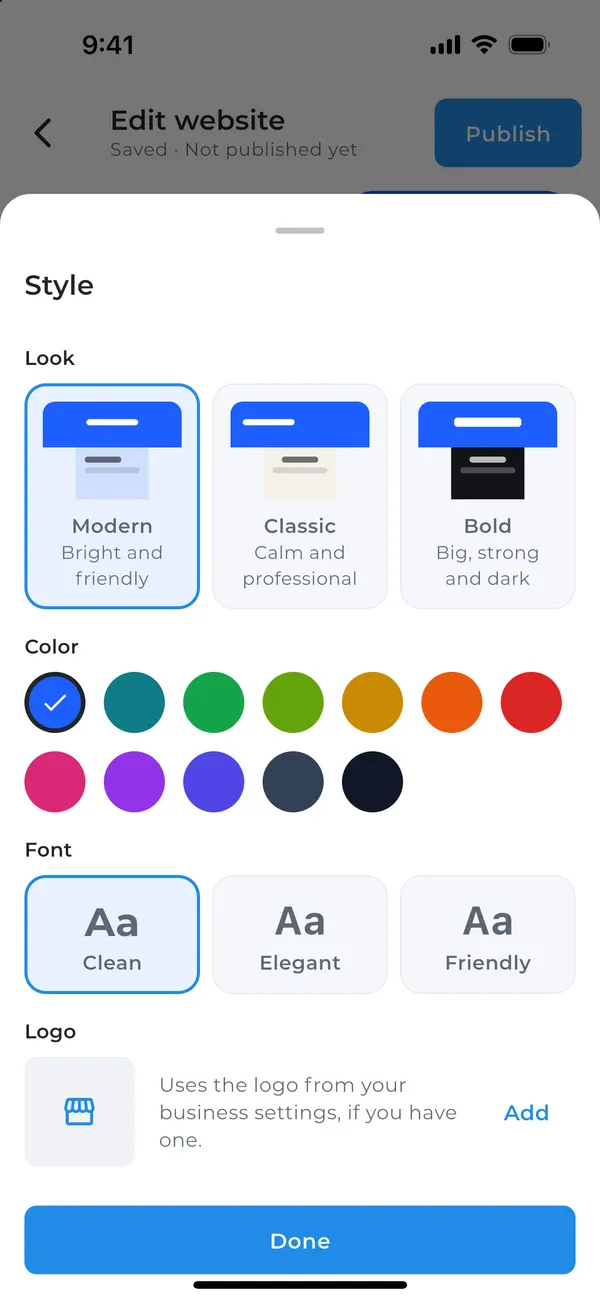
Switch looks at any time without losing a word. Then pick your brand colour and a font pair that suits your business.

Your brand colour
Choose from twelve colours. Buttons, links and accents follow it everywhere.
A font that fits
Clean, Elegant or Friendly heading fonts, each paired with an easy-to-read body font.
Your logo and photos
Use the logo from your invoices, upload photos of your work, or pick free stock photos right inside the app.
Everything clients look for, ready to go
Turn sections on or off and drag them into the order you like. The header always comes first.
Header
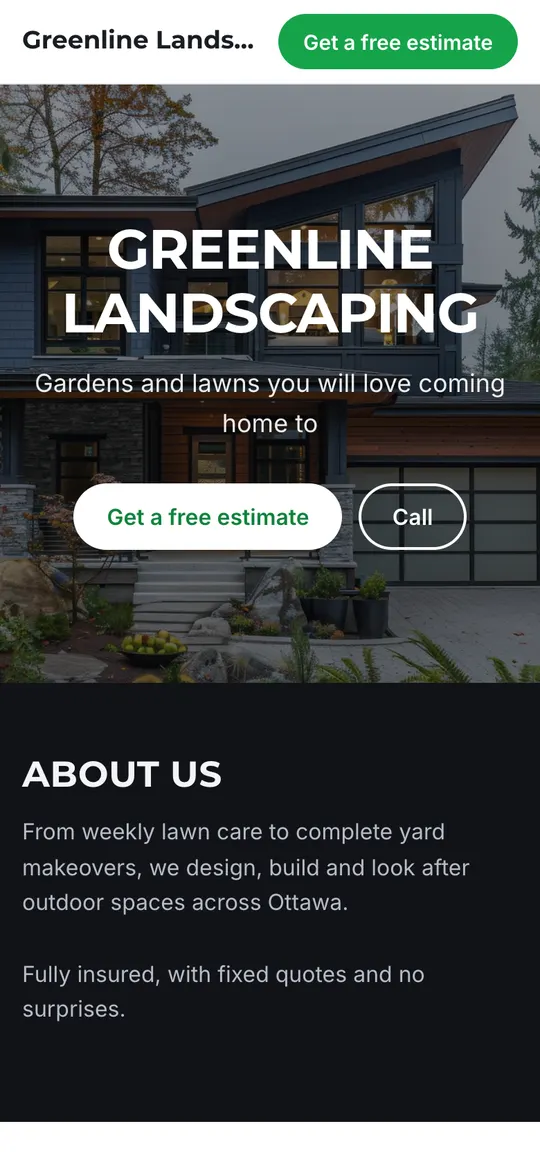
Your name, tagline and main photo, with buttons to get a quote or call.
About
A few words about your business and what makes you different.
Services
What you offer, with optional prices. Up to 12 services.
Photos of your work
Show off your best work with up to 24 photos.
Reviews
What happy clients say about you, with star ratings.
Opening hours
When you're open, day by day.
Contact
Phone, email, address and a contact form, so clients can reach you in one tap.
Social media
Links to Facebook, Instagram, LinkedIn, X, TikTok, YouTube and your Google Business Profile.
Location
A map of your address or the area you serve.
Turn visitors into clients
Your website and your invoicing live in the same app, so a new enquiry can become a paying client in a couple of taps.
- Visitors send a request from your contact form, including the service they're interested in.
- Requests land in your Requests inbox in the app. Call, text or email back right away.
- Tap Add as client & create estimate and you're ready to quote.
- See how many people visited your website this week.
harbour-plumbing.invoicing247.com
"Leaking pipe under the kitchen sink"
Call, text or email them back
One tap from enquiry to quote
Good to know
Do I need to know how to code or design?
No. You answer two questions, AI writes your website, and you change anything by tapping it in the app. There's nothing to install and nothing technical to set up.
What does it cost?
Building and previewing your website is free, so you can see exactly what you'll get. Publishing it online is part of Invoicing 24/7 Pro, which also unlocks automatic payment reminders, premium invoice designs, time tracking and more.
What will my website address be?
Your website lives at yourname.invoicing247.com. You choose the name, and you can change it later. Custom domains are not available yet.
Will it look good on phones?
Yes. Every look is designed for phones first, which is where most of your clients will find you.
Can clients find me on Google?
Your website is built so search engines can read it, with your business name, services and location clearly marked up. Share your link on social media and your Google Business Profile to help more people find you.
Can I change my website later?
Any time, right from the app. Edit the words, swap photos, change the look, or ask AI to rewrite it for you. Changes go live as soon as you publish them.
What happens if I cancel Pro?
Your website stays online for 7 more days, then goes offline. Nothing is deleted: renew Pro and it comes right back.
See your new website in a minute
Download Invoicing 24/7, tap My Website and answer two questions. It's free to try.
Building and previewing your website is free. Publishing it is part of Pro.